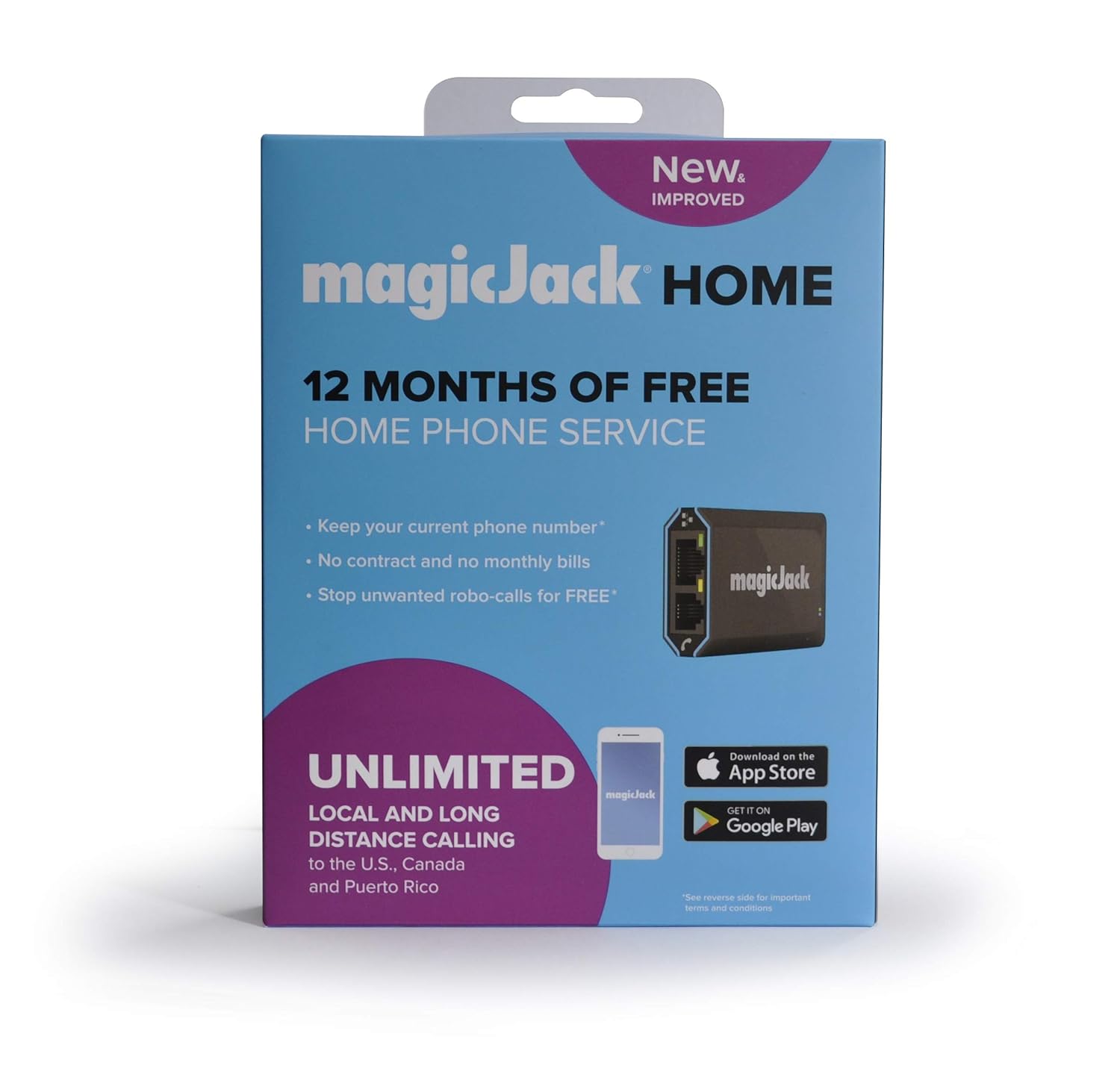
You’ve probably seen the little silver dongle hanging off a computer in an office or plugged into the back of a router in a kitchen. It’s been around for over fifteen years. People still ask: how does magicJack work and is it even still a thing? Yeah, it is. But the way it functions has shifted from being a weird USB gimmick to a legitimate, cloud-based phone service that competes with big cable companies.
It’s basically a bridge.
The magicJack device acts as an Analog Telephone Adapter (ATA). It takes the old-school electrical signals from your standard landline phone—the one with the curly cord or the cordless base station—and converts them into digital data packets. These packets travel over the internet instead of through the copper wires owned by the phone company. That’s the "Voice over IP" or VoIP magic. Honestly, it’s not much different from how Skype or WhatsApp calls work, but it’s designed to trick your old hardware into thinking it’s still plugged into a wall jack.
The Hardware Evolution: From PC-Only to Standalone
When Dan Borislow first launched magicJack in 2007, you had to have a computer running. It was a USB stick. You plugged your phone into the stick, the stick into the PC, and if your computer went to sleep, your phone service died. It was clunky.
Today, the magicJack Home or magicJack GO models are much smarter. They have an Ethernet port. This means you can plug the device directly into your modem or router. Your computer doesn't even need to be turned on. You’ve got a tiny computer inside that little silver box that handles all the SIP (Session Initiation Protocol) signaling. It talks to magicJack’s servers, gets a dial tone, and routes your calls.
Why the Internet Connection Quality Matters More Than You Think
If you have a "jittery" connection, your calls will sound like garbage. It’s that simple. Because the device relies on a steady stream of data, any "packet loss" on your home network results in those robotic, choppy voices we all hate.
Most people think "fast internet" means "good phone calls." Not necessarily. You could have a 1Gbps fiber connection, but if your router is overwhelmed by someone streaming 4K video in the next room, your magicJack call might suffer. It’s about latency and stability, not just raw speed. Usually, a magicJack call only uses about 30kbps to 90kbps of bandwidth. That’s a tiny fraction of what a Netflix stream uses. But that tiny fraction needs to be constant.
The Step-by-Step Breakdown of the Connection
- Analog to Digital: You pick up your handset and talk. The magicJack converts your voice into binary code.
- Packetization: That code is chopped into tiny pieces called packets.
- Routing: These packets are sent over your ISP's network to magicJack’s central servers (the softswitch).
- The Handshake: The server looks at the number you dialed. If it’s another magicJack, it stays on the internet. If it’s a traditional landline or cell phone, the server hands the call off to the Public Switched Telephone Network (PSTN).
- Reconstruction: On the other end, the packets are put back together so the person hears your voice.
It happens in milliseconds.
Hidden Realities of the magicJack App
A lot of users don't realize they don't even need the physical hardware to make the system work. They have an app called magicApp.
This is where it gets interesting. When you register a magicJack device, that phone number is tied to your account, not just the physical stick. You can log into the app on your iPhone or Android, and your "landline" will ring on your mobile phone. This uses your cellular data or Wi-Fi. It’s a great way to avoid using cell minutes if you’re on a limited plan, or more importantly, to get service in a basement where you have Wi-Fi but zero cell bars.
The Power Outage Problem
One thing you’ve got to remember: if your power goes out, your phone goes out. Old-fashioned landlines were powered by the phone company's central office. They worked during blackouts. How does magicJack work in a storm? It doesn't. Unless you have your modem, router, and the magicJack plugged into a Uninterruptible Power Supply (UPS) battery backup, you are disconnected. This is a major safety consideration for people who rely on it for emergency calls.
Porting Your Number and the E911 Catch
Can you keep your old number? Usually, yes. It costs a one-time fee (typically around $20) to port a number from a carrier like AT&T or Verizon to magicJack. But it isn't instant. It can take up to ten business days.
Then there’s E911. This is a huge deal.
Because a magicJack isn't tied to a physical address like a wall jack is, you have to manually register your address in their online portal. If you move the device to a vacation home and forget to update your address, and then you call 911, the ambulance is going to show up at your old house. The technology relies on a static database entry. You’ve got to keep it updated. It's a small chore that literally saves lives.
Comparing Costs: Why the Math Usually Wins
Most people switch because of the bill. A traditional landline can easily cost $40 to $60 a month after all the "regulatory recovery fees" and taxes. magicJack is usually around $40 to $50 per year.
Is it "free" phone service? No. You buy the device, which usually includes the first year of service. After that, you pay an annual renewal fee. You’re essentially paying for the maintenance of the servers and the interconnection fees that magicJack pays to other carriers to complete your calls.
Does it work for businesses?
Small businesses use it, but it lacks the "Pro" features like complex auto-attendants or multi-line hunting that you’d get from a more expensive provider like RingCentral or Nextiva. It’s a "no-frills" solution. If you just need a phone to ring on a desk, it's perfect. If you need a complex "Press 1 for Sales" menu, you might find it a bit thin.
Setting It Up: The Non-Technical Guide
If you're staring at the box, don't overthink it.
- Step A: Take the Ethernet cable and plug one end into your router and the other into the magicJack.
- Step B: Plug your actual telephone into the port labeled "PHONE" on the magicJack.
- Step C: Plug the power adapter into a wall outlet.
- Step D: Go to a computer or smartphone to finish the registration on their website.
You'll hear a dial tone almost immediately once the registration is processed. If you don't, it's usually a firewall issue on your router blocking the SIP ports. Most modern routers allow this by default, but occasionally you have to go into settings and enable "SIP ALG" (though ironically, sometimes you have to disable it to make VoIP work better—it’s a weird tech quirk).
Actionable Steps for Success
If you're planning to make the jump to VoIP, don't just plug and play. Follow these specific steps to ensure you don't lose service or get frustrated.
Test your ping first. Go to a site like Speedtest.net and look at your "Ping" or "Latencey." If it’s over 100ms, your magicJack calls will have a noticeable delay where you’ll end up talking over each other. Under 20ms is ideal.
Update your E911 info immediately. Don't wait. Do it during the activation process. It’s the most important part of the setup.
Buy a cheap UPS. Get a small battery backup for your router and magicJack. This ensures that if the power flickers, your phone stays alive for at least an hour or two.
Use the app as a backup. Download the magicApp and log in. If your hardware ever fails or your internet goes down, you can still receive calls to your "home" number on your smartphone using your 5G data.
Check your porting eligibility. Before you cancel your old phone service, check on the magicJack website if your specific number can be ported. If you cancel your old service before the port is finished, you will lose your phone number forever. Keep the old service active until the transfer is 100% complete.



